

How to Fix a Cracked iPad Screen? Many iPad users frequently experience cracked screens, which are frequently brought on by misuse, pressure, or unintentional drops. Both functioning and appearance may be impacted by the damage, which can vary from tiny hairline cracks to completely broken screens. Even though a cracked screen might seem like a small annoyance, if it is not fixed, it can soon cause more serious concerns including touch sensitivity problems or additional internal damage. In addition to restoring the device’s functionality, fixing a broken screen is crucial for preserving its longevity and worth. Users may maintain their gadgets in top shape and make well-informed decisions by being aware of the repair alternatives available
Quickly fixing a broken iPad screen is essential to avoiding more harm that can impair the device’s usefulness. The iPad can become dangerous and challenging to use if a little crack spreads quickly and results in broken glass or a malfunctioning touchscreen. Additionally, fissures raise the possibility of interior damage by exposing the item to dust, moisture, and other environmental factors. Repairing an item right away can protect users from future expenses and prolong its useful life. The purpose of this article is to walk readers through the range of repair choices accessible, from do-it-yourself fixes to expert services. Users can make an informed choice that fits their budget and guarantees a fully operating equipment by being aware of the benefits, drawbacks, and expenses of each strategy.
Assessing the Damage
There is no one-size-fits-all solution for cracked iPad displays. Finding the best solution begins with a precise assessment of the problem, as the extent of the damage might vary greatly. These are the most typical forms of screen damage and knowing them is essential.
Hairline Cracks: These are tiny, imperceptible cracks that frequently appear to be a minor problem. However, frequent use, pressure, or more unintentional hits can cause hairline cracks to gradually expand. They have the potential to erode the screen’s strength over time, increasing its vulnerability to breaking. Time and money can be saved by taking care of problems early.
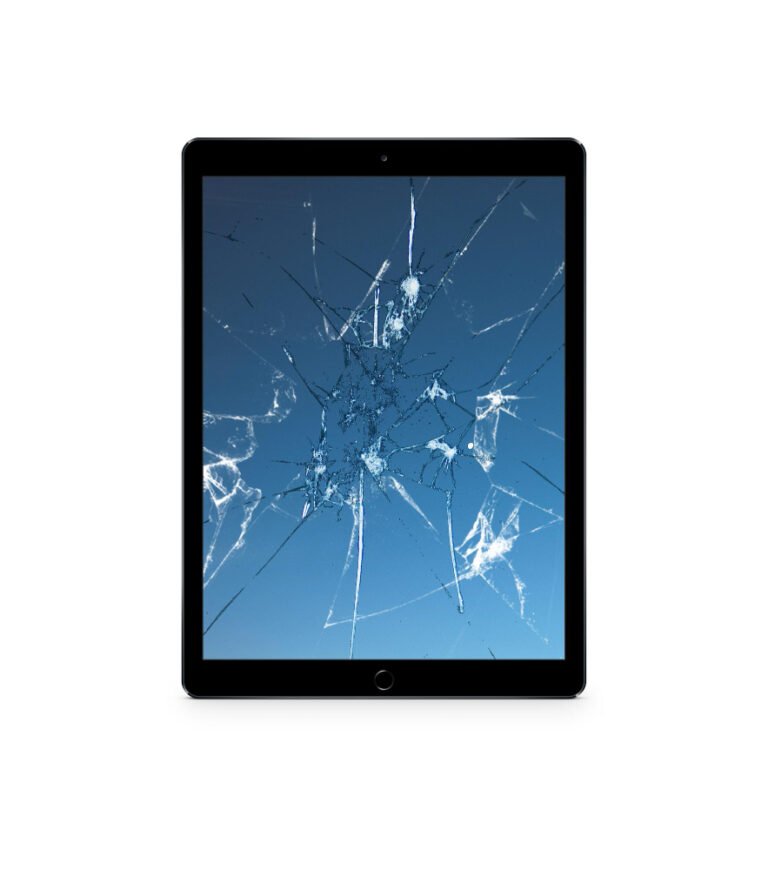
Broken Glass: In more extreme situations, the screen may shatter into several pieces or start to show noticeable cracks. The device’s usability is greatly reduced by broken glass, which also presents a safety risk because the fragments can injure someone. In order to stop additional damage and guarantee that the iPad stays functional, this kind of damage frequently needs to be fixed very away.
Touchscreen Malfunction: The gadget may become difficult to operate if cracks impair the touchscreen’s sensitivity. Productivity can be disrupted and the iPad rendered useless by erratic behavior, unresponsiveness, or a touchscreen that is utterly non-functional.
DIY Repair: Pros and Cons
Although fixing a damaged iPad screen yourself could seem like a cheaper option, there are benefits and drawbacks to this method. Here are some things to think about before beginning a do-it-yourself repair.
Equipment & Sets for Do-It-Yourself Screen Replacement
There are a number of kits and tools available online for people who want to fix their iPad screen at home, including:
- Accurate screwdrivers
- Suction cups and pry tools
- Screen replacements
- Sealants and adhesives
- Hair dryers or heat pistols to soften glue
- These kits are easy for novices to use because they frequently include detailed instructions or video lessons.
Step-by-Step Guide for DIY Screen Repair
Set Up Your Workspace: To prevent losing small parts, make sure your workspace is spotless, level, and well-lit.
Disassemble and Turn Off: Turn off the iPad and carefully take off the screen’s glue and screws.
Remove the Broken Screen: Lift the damaged screen with suction cups and pry tools, being careful not to harm internal parts.
Set up the Updated Screen: Using screws or adhesives, if necessary, align and install the replacement screen.
Reassemble and Test: Before entirely sealing the device, carefully reassemble it and test the screen’s operation.
Risks of DIY Repair
Although doing repairs yourself could save money up front, there are some serious risks:
Voiding Warranties: Any current warranties may be nullified by opening your iPad or using non-approved parts, which will prevent you from receiving any further assistance from Apple.
Possibility of Additional Damage: Inadequate handling of sensitive parts, including the digitizer or connectors, might result in more problems and raise the cost of future professional repair.
Absence of Tools or Experience: Even with a complete kit, repairs can be difficult and time-consuming if the right tools or experience are not used.
Parts of Lower Quality: A lot of replacement kits use parts from third parties, which might not be as durable or high-quality as the originals.
Apple Repair Services
A Summary of Apple’s Repair Choices
For iPad customers with damaged screens, Apple offers a variety of repair options, guaranteeing flexibility:
In-Store Repairs: For in-person support, go to an Apple Store or authorized service provider. Technicians will assess the damage and offer potential fixes.
Mail-In Repairs: If visiting a store isn’t convenient, Apple allows you to ship your iPhone to a repair center. After evaluating the problem, they will resolve it and give you your iPad back.
Coverage for AppleCare+: Screen repairs are greatly reduced if you have AppleCare+. Instead of the entire fee, which might surpass $300 AUD for repairs made outside of warranty, a screen repair might cost about $65 to $85 AUD.
Out-of-Warranty Repairs: Depending on the iPad model and degree of damage, Apple provides repair services to customers without AppleCare+ at standard fees.
Benefits of Opting for Authorised Apple Services
Warranty Protection: AppleCare+ members are eligible for cheaper repairs and extended coverage, and repairs made by Apple do not violate your warranty.
Quality Assurance: Apple promises to use original components and skilled repair methods, so your iPad will function like new again after the repair.
Safety and Dependability: Trained to handle delicate parts, certified personnel reduce the possibility of additional harm.
Comprehensive Diagnostics: To guarantee your device operates at its best, Apple professionals can find and fix underlying problems that might not be immediately apparent.
Convenience: Apple makes the procedure easy and user-friendly by offering alternatives for in-store or mail-in repairs.
How to Book an Appointment or Mail-In Service with Apple
Go to the Apple Support website: Go to the “iPad Repairs” area of the official Apple Support website.
Select Your Option for Repair: Choose between using the mail-in service or scheduling an appointment in-store.
Explain the Issue: Describe the problem in detail, using terms like “cracked screen” or “unresponsive touchscreen.” This aids Apple in calculating the necessary time and expense.
Make an Appointment: Select a convenient time slot at the Apple Store or authorised service provider that is closest to you for in-store service.
Instructions for Mail-In: If you choose to mail in your device, Apple will give you a mailing label and packing guidelines so that you may send it securely.
Follow-up and Repair Completion: Following repair, Apple will let you know when your device is delivered back or is ready for pickup
Third-Party Repair Services
Third-party repair shops may be a good choice for anyone searching for less expensive alternatives to Apple’s repair services. There are a number of things to take into account while selecting these nearby companies for your iPad screen repair, even though they frequently provide affordable prices and practical services.
Examining Reasonably Priced Repair Choices at Neighborhood Repair Shops
For many iPad users looking for prompt and reasonably priced repairs, local repair shops are a popular option. Usually, they provide:
Fast Turnaround: Unlike Apple, which can take days, especially for mail-in services, many third-party repair providers can fix your gadget in a few hours.
Competitive Pricing: For consumers on a tight budget, local repair businesses are a desirable alternative to Apple’s out-of-warranty repairs because they often charge less.
Convenient Locations: In places where Apple Stores are few, local repair shops are frequently more accessible than Apple Stores.
Key Considerations: Reputation, Expertise, and Use of Genuine Parts
Reputation: Before beginning any repairs, find out how well-regarded the repair shop is. Make sure the store is reputable and trustworthy by reading reviews, getting referrals, or looking for credentials.
Expertise: Verify the specialists’ proficiency with iPad repairs. Seek out stores that specialize in fixing Apple products or have a track record of replacing screens.
Use of Original Parts: Not all independent repair facilities make use of original Apple components. Ask if the shop employs OEM (original equipment manufacturer) parts or third-party components, as the latter may not meet Apple’s standards, if preserving the iPad’s original functionality and quality is important to you.
Warranty on Repairs: To provide you with peace of mind following the repair, reputable repair businesses frequently offer a warranty on their work, usually lasting between 30 and 90 days. Make sure that parts or workmanship flaws are covered under the shop’s guarantee.
Preventive Measures After Repair
It’s crucial to take precautions against further damage after your iPad screen has been fixed. There are a number of steps you can take to safeguard your device and increase its longevity, even though no solution can ensure that it will remain perfect forever.
Using Screen Protectors to Minimise Future Risks
Durability: They lessen the chance of future cracks or breaking by absorbing impact and shielding the glass from drops.
Scratch Resistance: A screen protector helps shield the screen from small scratches that could compromise its structural integrity.
Better Grip: By adding more texture, several screen protectors lessen the possibility that your hands will unintentionally slip.
Affordability: Screen protectors offer long-term protection at a comparatively inexpensive cost when compared to any future repairs.
Tips for Handling and Storing Your iPad to Avoid Damage
Employ a Protective Case: Make an investment in a premium case that completely encloses your iPad. To provide additional protection for the screen in the event of a drop, choose one with raised edges.
Avoid Excessive Temperatures: The screen and battery of your iPad might be weakened by excessive temperatures, so you should never leave it in either a hot or cold environment.
Store It Safely: To prevent unintentional bumps or falls, store your iPad in a secure location when not in use, like a padded bag or compartment.
Do Not Use in Dangerous Circumstances: Use caution when handling your iPad when moving about or in locations where it could be dropped, such as on uneven surfaces.
Keep Liquids Away: To prevent damage to the screen or internal parts, keep your iPad away from food and liquids at all times.
Importance of Regular Maintenance
Clean Your iPad Frequently: Use a gentle, lint-free cloth to gently wipe off the screen and body. Steer clear of abrasive cleaning agents that can harm the casing or screen.
Look for Any Loose Parts: Check the iPad from time to time for any loose parts or screws. See a professional if something seems strange.
Monitor Battery Health: Check the device settings to keep an eye on the condition of your battery. For the iPad to function well and last a long time, the battery must be properly maintained.
Software Upgrades: To maintain the device’s performance and address any potential software problems, make sure your iPad is running the most recent software upgrades.
Also Read: How to Reset Your iPad’s Charging settings?
Frequently Asked Questions
Can I Still Use My iPad With a Cracked Screen?
Although you can still use your iPad even if the screen is shattered, it can get increasingly challenging and dangerous with time. Touch sensitivity may drop, making it more difficult to use apps or complete activities efficiently. Broken glass can become dangerous as the crack deepens, possibly injuring someone or destroying internal parts. Furthermore, a broken screen raises the possibility of additional damage by exposing your device to dust, moisture, and other environmental factors. The cracked screen should be fixed as soon as possible to maintain your iPad’s functioning and avoid further problems. Contact iPhone Repair Brisbane if you require experienced assistance. Our professionals are prepared to aid you in restoring your iPad to its best state.
Is DIY Screen Repair Safe?
DIY screen repair can be dangerous, particularly if you don’t have the right equipment or know how to do it. Although it might save money, there are a number of possible risks. The iPad may sustain additional harm from improper handling, such as broken internal parts or a broken touchscreen. Additionally, the quality and performance of the gadget may be impacted by using non-original parts. Additionally, DIY repairs nullify warranties, depriving you of manufacturer assistance. To prevent expensive errors, it’s always wiser to seek professional repair services if you’re not sure how to proceed.
Does a Cracked iPad Screen Affect the Performance of the Device?
Yes, the performance of an iPad can be affected by a broken screen. Small cracks may not have an immediate impact on operation, but they can progressively get worse and cause problems like distorted displays, unresponsive touchscreens, and more. Additionally, cracks may expose the interior parts to moisture, dust, and other external elements, which could result in additional harm. In extreme situations, shattered glass may render the apparatus dangerous to use. To avoid these performance problems and guarantee the device operates correctly, it’s critical to have the screen repaired as soon as possible.
Phone Repair Brisbane · Near Coles Kiosk, 1/180 Fairfield Rd, Fairfield QLD 4103 · Phone 07 3073 1588 · Open Mon–Sat 10am–6pm · Walk-in service, no appointment needed · Cash, EFTPOS, Apple Pay, Google Pay, Afterpay & credit card accepted