

Laptops have become an essential part of our daily lives, whether it’s for work, school, or entertainment. However, like any electronic device, laptops are prone to various issues that can disrupt their functionality and performance. From hardware problems like overheating and battery issues to software issues like slow performance and viruses, these common problems can be frustrating and inconvenient. It is important to address these issues promptly to ensure that your laptop continues to function optimally and to avoid further damage.
Hardware Issues Needing Laptop Repair: How to Identify and Fix Them
Hardware maintenance is crucial for the longevity and performance of your laptop. Regularly checking for hardware issues can help you identify problems early on and prevent them from worsening. Some common signs of hardware issues include strange noises coming from your laptop, overheating, random shutdowns, and unresponsive peripherals.
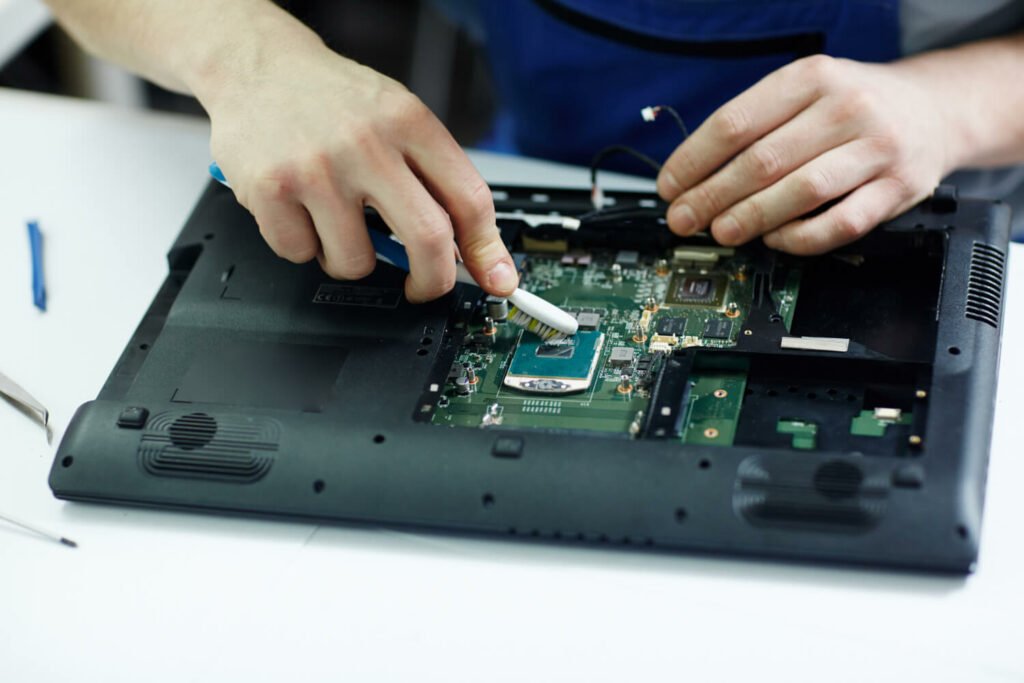
To fix hardware problems, start by cleaning the internal components of your laptop. Dust and debris can accumulate over time and cause overheating or slow performance. Use compressed air or a soft brush to gently remove the dust from the vents, keyboard, and other areas.
If your laptop is overheating, check if the cooling fan is working properly. If it’s not spinning or making unusual noises, it may need to be replaced. Additionally, consider investing in a laptop cooling pad to help dissipate heat more effectively.
Battery issues are another common hardware problem. If your laptop’s battery is not holding a charge or is draining quickly, it may need to be replaced. You can purchase a new battery online or from a reputable computer store and follow the manufacturer’s instructions for installation.
Common Hardware Problems: Overheating, Battery Issues, and More
Overheating is a common hardware problem that can lead to serious damage if not addressed promptly. Causes of overheating include dust accumulation in the cooling system, a malfunctioning cooling fan, or heavy usage of resource-intensive applications. Symptoms of overheating include a hot laptop, frequent crashes or shutdowns, and slow performance.
To prevent overheating, make sure your laptop is placed on a hard, flat surface that allows for proper airflow. Avoid using your laptop on soft surfaces like beds or couches, as this can block the vents and cause heat to build up. Additionally, regularly clean the vents and cooling fan to remove dust and debris.
Battery issues are another common hardware problem that can affect the performance and portability of your laptop. If your battery is not holding a charge or is draining quickly, it may need to be replaced. However, before replacing the battery, try calibrating it by fully charging it and then fully discharging it. This can sometimes help recalibrate the battery and improve its performance.
To extend the battery life of your laptop, adjust the power settings to optimise energy usage. Lower the screen brightness, disable unnecessary background processes, and use power-saving modes when possible. Additionally, avoid leaving your laptop plugged in all the time, as this can degrade the battery over time.
Other common hardware issues include a malfunctioning keyboard or touchpad, a cracked or broken screen, and faulty ports or connectors. If you are experiencing any of these problems, it may be necessary to replace the affected component or seek professional help.
Software Issues That Require Laptop Repair: How to Troubleshoot and Resolve Them
Software issues can significantly impact the performance and functionality of your laptop needing a laptop repair. These issues can range from slow performance and freezing to viruses and malware infections. Troubleshooting software problems involves identifying the underlying cause and taking appropriate steps to resolve them.
To troubleshoot software problems, start by identifying any recent changes or installations that may have caused the issue. Uninstall any recently installed programs or updates that may be conflicting with your laptop’s software. Additionally, check for any available software updates for your operating system and installed applications, as outdated software can cause compatibility issues.
If your laptop is running slow, there are several steps you can take to improve its performance. Start by closing any unnecessary programs or processes running in the background. Use the Task Manager (Ctrl + Shift + Esc) to identify resource-intensive applications and close them. Additionally, consider upgrading your laptop’s RAM if it is below the recommended specifications for your operating system.
Viruses and malware can also cause significant damage to your laptop’s software and compromise your personal information. To remove viruses and malware, start by running a full system scan using a reputable antivirus program. Make sure your antivirus software is up to date and perform regular scans to prevent future infections. If the scan detects any threats, follow the recommended steps to remove them.
Common Software Problems: Slow Performance, Viruses, and More
Slow performance is a common software problem that can be caused by various factors. Some common causes of slow performance include a fragmented hard drive, too many startup programs, and a lack of available disk space. Symptoms of slow performance include lagging or freezing when opening applications or files, slow boot times, and unresponsive windows.
To improve the performance of your laptop, start by optimising your hard drive. Use the built-in Disk Cleanup tool to remove unnecessary files and free up disk space. Additionally, defragment your hard drive to consolidate fragmented files and improve read and write speeds.
Too many startup programs can also contribute to slow performance. Disable any unnecessary programs from starting up with your laptop by accessing the Task Manager (Ctrl + Shift + Esc) and navigating to the Startup tab. Disable any programs that you don’t need to run at startup.
If you suspect that your laptop is infected with viruses or malware, run a full system scan using a reputable antivirus program. Make sure your antivirus software is up to date and perform regular scans to prevent future infections. If the scan detects any threats, follow the recommended steps to remove them.
Other common software issues include driver conflicts, software crashes, and compatibility issues. If you are experiencing any of these problems, try updating your drivers to the latest version, reinstalling the affected software, or seeking professional help if necessary.
When to Seek Professional Help For Laptop Repair: Signs That You Need a Technician
While DIY laptop repair can be a cost-effective solution for common issues, there are certain signs that indicate you should seek professional help. Attempting to fix complex issues on your own can lead to further damage and may void your warranty.
If you are experiencing hardware issues that require specialised knowledge or tools, it is best to seek professional help. This includes issues like a cracked or broken screen, a malfunctioning motherboard, or liquid damage. These types of repairs often require specific parts and expertise that may not be readily available to the average user.
Additionally, if you are unsure about the cause of the issue or how to fix it, it is best to consult with a technician. They can diagnose the problem accurately and provide appropriate solutions. Trying to fix an issue without proper knowledge or guidance can lead to further damage and may end up costing you more in the long run.
It is also important to consider the risks involved in attempting complex repairs on your own. Opening up your laptop and tampering with its internal components can void your warranty and may cause irreparable damage. If your laptop is still under warranty, it is best to contact the manufacturer or an authorised repair center for assistance.
Choosing a Repair Service: How to Find the Right Technician for Your Laptop
When choosing a repair service for your laptop, it is important to consider several factors to ensure that you find the right technician for the job. Here are some factors to consider:
1. Reputation
Look for a repair service with a good reputation and positive customer reviews. Check online forums, review websites, and social media platforms for feedback from previous customers.
2. Experience and expertise
Choose a repair service that has experience working with laptops and specialises in the specific issue you are facing. Ask about their technicians’ qualifications and certifications.
3. Turnaround time
Inquire about the estimated turnaround time for repairs. A reputable repair service should be able to provide a reasonable timeframe for completing the repairs.
4. Warranty
Ask about the warranty offered on repairs. A reputable repair service should provide a warranty on both parts and labor to ensure customer satisfaction.
5. Cost
While cost should not be the sole determining factor, it is important to consider the pricing of the repair service. Compare prices from different providers and ensure that you are getting a fair quote for the services offered.
6. Customer service
Consider the level of customer service provided by the repair service. Are they responsive to inquiries? Do they provide clear communication throughout the repair process?
It is also important to ask questions before hiring a technician. Inquire about their repair process, what parts they use, and how they handle data privacy and security. A reputable repair service should be transparent and willing to answer any questions you may have.
Preventative Measures: How to Avoid Future Laptop Issues
Preventative measures can help you avoid future laptop issues and prolong the lifespan of your device. By following these tips, you can maintain your laptop’s performance and prevent common problems from occurring.
1. Keep your laptop clean: Regularly clean the keyboard, screen, and other surfaces of your laptop to remove dust and debris. Use a soft cloth and a mild cleaning solution to avoid damaging the components.
2. Use a surge protector: Protect your laptop from power surges by using a surge protector or an uninterruptible power supply (UPS). Power surges can damage the internal components of your laptop and lead to hardware issues.
3. Update your software regularly: Keep your operating system, antivirus software, and other applications up to date to ensure that you have the latest security patches and bug fixes. Regular updates can help prevent software issues and protect your laptop from malware infections.
4. Backup your data: Regularly backup your important files and documents to an external hard drive or cloud storage. This will protect your data in case of hardware failure or software issues.
5. Avoid eating or drinking near your laptop: Spills can cause significant damage to your laptop’s keyboard, motherboard, and other components. Avoid eating or drinking near your laptop to prevent accidents.
6. Use a laptop cooling pad: If you frequently use resource-intensive applications or experience overheating issues, consider using a laptop cooling pad. These pads help dissipate heat more effectively and can prevent overheating.
Tips for Maintaining Your Laptop and Avoiding Future Problems
In conclusion, laptops are prone to various hardware and software issues that can disrupt their functionality and performance. It is important to address these issues promptly to ensure that your laptop continues to function optimally and to avoid further damage.
By regularly maintaining your laptop’s hardware and software, you can prevent common issues from occurring and prolong the lifespan of your device. Clean the internal components, check for overheating, and replace faulty hardware when necessary. Update your software regularly, run antivirus scans, and troubleshoot software problems to maintain optimal performance.
If you choose to attempt DIY laptop repair, make sure you have the necessary tools and take precautions to avoid causing further damage. However, for complex issues or if you are unsure about the cause of the problem, it is best to seek professional help.
By following these tips and addressing issues promptly, you can maintain your laptop’s performance and avoid future problems. Remember to back up your data regularly and take preventative measures to protect your laptop from damage. With proper maintenance and care, your laptop can continue to serve you well for years to come.