

When and Why You Should Replace Your Mobile Phone Battery Maintaining the seamless operation of your phone throughout the day requires a healthy battery. Everything from sending messages and making calls to using apps and browsing the internet is powered by it. Your phone works better, lasts longer between charges, and remains dependable when you need it most when the battery is in good shape. Unexpected shutdowns, sluggish performance, and even overheating are all consequences of a weak or broken battery that reduces the dependability of your phone. You can avoid these issues by routinely assessing the condition of your battery and changing it when necessary. You can prolong the life of your phone and avoid the inconvenience of regular charging or unexpected power outages by keeping your battery healthy.
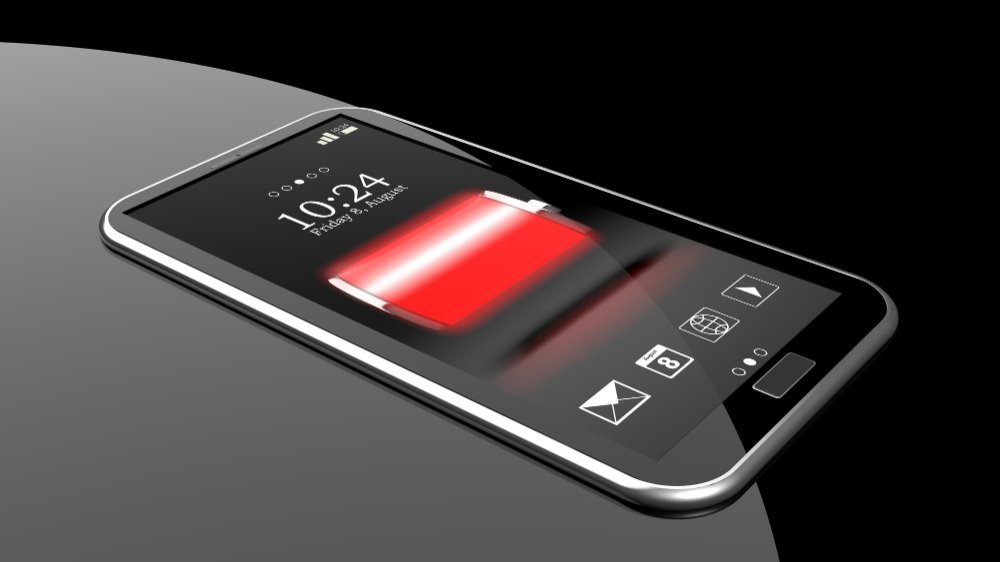
Your phone’s performance and usability can be greatly impacted by a dying battery, which can cause daily annoyances. Your device may abruptly shut down, freeze while doing critical operations, or run out of power quickly—all of which are obvious symptoms of battery deterioration. This can eventually make even basic tasks difficult, such as browsing or making calls. Ignoring these problems can make them worse and result in a phone that is unreliable. It’s a wise decision to replace your mobile phone’s battery in order to increase battery life and restore performance. In order to keep your gadget operating smoothly and prevent the hassle of frequent charging or unexpected power outages, take care of battery problems as soon as possible.
How Mobile Phone Batteries Work
The Role of Lithium-Ion Batteries
- Lithium-ion (Li-ion) batteries are used in mobile phones because of their lightweight and efficient architecture.
- Through chemical interactions, they store energy, allowing for great power production and quick recharge.
Duration of Battery Life
- A lithium-ion battery has an average lifespan of two to three years, or 500 to 800 cycles of charging.
- One complete battery drain and recharge is referred to as a charge cycle.
Charge Cycles’ Function
- Each charge cycle gradually degrades the battery a little bit.
- Regular charging and discharging causes capacity loss, which lowers the battery’s overall energy storage capability.
Elements That Impact Battery Health
- Degradation is accelerated by high temperatures.
- The chemistry of the battery is harmed by severe discharges or overcharging.
- Capacity loss may result from using chargers that are not approved.
Indications of Battery Problems
- Degradation is indicated by abrupt power dips, slower charging, and shorter battery life.
- Early detection of these symptoms guarantees peak performance and helps stop additional harm.
Signs It’s Time to Replace Your Mobile Phone Battery
Quick Battery Drainage
Even with little use, your phone’s battery may be showing signs of wear and tear if it drains too quickly. Under typical use, a healthy battery should last the majority of the day, but a failing one finds it difficult to maintain a charge. One telltale symptom of battery problems and the need for a replacement is if you find yourself searching for a charger all the time.
Unexpectedly Shutting off the Phone
Your phone may have internal battery damage if it shuts off without warning, even if the battery % indicates that it is fully charged. This occurs as a result of the battery’s inability to provide steady power. You should think about replacing your phone’s battery if it routinely shuts off without warning.
Overheating While Charging or Using
One common indicator of a malfunctioning battery is overheating. If your phone overheats when charging or using, it may be a sign that the battery is having trouble efficiently managing energy. In addition to reducing battery life, overheating raises the possibility of harm to other phone parts.
Battery Swelling Physically
One of the most concerning warning indicators is a bulging or enlarged battery. When the battery begins to deteriorate, this occurs as a result of internal chemical interactions. Physical harm may result from a bloated battery pressing against the phone’s screen or back panel. It’s a dangerous problem that needs to be addressed right away to prevent leaks or explosions.
Why You Should Replace Your Mobile Phone Battery
Extended Use Times and Better Performance
The performance of your mobile phone can be immediately improved by changing the battery. With a new battery, you can use apps, make calls, and surf the web without interruptions because it holds a full charge and operates more smoothly. Longer usage periods will also benefit you by lowering the frequency of recharging.
Steer Clear of Dangers Like Explosions or Battery Leaks
A deteriorated battery can cause problems including overheating, leakage, or even explosions, which can be dangerous. These hazards have the potential to harm your phone and jeopardise your security. You may remove these risks and guarantee the phone functions securely by changing the battery.
Economically in Relation to Purchasing a New Phone
It is much less expensive to replace your phone’s battery than to buy a new one. If your phone is in otherwise good shape, a new battery can get it working again for a fraction of the price, saving you money and allowing you to continue using your reliable gadget.
Environmentally Friendly Reasons: Cutting Down on Electronic Waste
It’s more environmentally friendly to replace your phone’s battery rather than throw it away. It lessens electronic waste, an issue that is becoming more and more widespread. By prolonging the life of your device, you help minimise the demand for new phone production and contribute to sustainable practices.
When Is the Right Time for Replacement?
A Phone Battery’s Typical Lifespan Is Two to Three Years or 500 to 800 Charge Cycles
A phone battery typically lasts 500–800 full charge cycles, or two to three years. When the battery is utilised from 100% to 0% and then recharged to 100%, this is known as a charge cycle. Shorter usage periods and possible performance problems result from the battery’s capacity starting to decrease after this point. Your phone’s functionality can be restored by changing the battery when it reaches the end of its useful life.
Things That Shorten Battery Life
Fast charging, gaming, and heavy app use are all things that might shorten your phone’s battery life. Games and video streaming services are examples of intensive apps that consume a lot of power and might eventually strain the battery. In a similar vein, frequent rapid charging increases heat production and speeds up battery deterioration. These elements have the potential to drastically reduce your battery’s lifespan, necessitating a replacement earlier than anticipated.
Seasonal Effects: High Temperatures and Depletion of Batteries
The health of batteries can be significantly impacted by extreme temperatures, both hot and cold. The battery can overheat in high temperatures, such as when you leave your phone near a heat source or in direct sunlight, which accelerates wear. Conversely, low temperatures can quickly deplete the battery. It’s crucial to keep an eye on the condition of your battery and think about getting a new one if you observe performance problems, especially if you reside in a region with harsh seasonal weather.
Options for Replacing a Mobile Phone Battery
DIY vs Professional Replacement: Pros and Cons
DIY Replacement
Advantages: It’s frequently less expensive, and you don’t have to wait to do it. The majority of phone models have video tutorials or online manuals available.
Cons: It calls for the appropriate equipment and technological know-how. Your phone’s warranty may be voided or damaged by improper installation. Additionally, you run the danger of utilizing subpar, third-party batteries that could impair the functionality of your phone.
Expert Replacement
Advantages
Quality and safety are guaranteed when using certified repair personnel to replace batteries. Expert repairs lower the chance of additional harm by ensuring that the proper, high-quality battery is used and the work is completed appropriately. It also keeps your phone’s warranty intact.
Cons: It tends to be more expensive than DIY, and you may need to wait for an appointment or delivery time.
Locations for Trustworthy Replacements (Certified Repair Services)
It is advised to visit an authorised mobile phone repair provider for the best outcomes. Original equipment manufacturer (OEM) batteries are used in certified repair services, such those provided by the phone manufacturer or reliable third-party suppliers, guaranteeing compatibility and functionality. These services are especially helpful if you want to feel certain about quality control and warranty coverage.
Prices Associated with Different Phone Models
Basic Models: Professional battery replacement repairs for low-priced cell phones often cost between $50 and $100 AUD.
Mid-Range Phones: Replacing the battery on well-known brands like Samsung or OnePlus can cost anywhere from $100 to $150 AUD.
Premium Phones: Depending on the intricacy of the repair, high-end models, such as the newest iPhones or flagship phones from Google or Samsung, can cost anywhere between $150 and $250 AUD
To steer clear of phony or inferior services, always seek repair facilities with positive reviews and the appropriate qualifications.
Note that certain models (e.g., sealed or bonded batteries) may require more labor because of their design. Professional replacement, on the other hand, guarantees longevity and appropriate operation, making it a wise investment.
Tips to Prolong Your New Battery’s Lifespan
Prevent Deep Discharges and Overcharging
Your battery’s lifespan might be shortened by overcharging it or allowing it to deplete entirely. For best results, try to maintain your battery level between 20% and 80%. Don’t let your phone run out of battery or leave it plugged in all night. This easy practice can help you learn how to properly care for a mobile phone battery and greatly extend the life of your battery.
Make Use of the Original Cables and Chargers
Use the phone’s original charger and wires whenever possible, or get premium, approved alternatives. Third-party, low-cost attachments have the potential to cause overheating or uneven charging, which accelerates battery deterioration. The battery’s life may be prolonged by using the original charger, which guarantees proper power transmission.
Optimise Phone Settings for Better Battery Life
- Cut Down on Screen Brightness: One of the largest energy consumers is the screen. Battery life can be significantly improved by turning off auto-brightness or lowering your brightness.
- Disable Unused Apps: Background-running apps drain battery life. To conserve energy, shut off unnecessary apps on a regular basis or disable app notifications.
- Turn on Power-Saving Modes: A lot of phones include built-in power-saving modes that reduce pointless operations and prolong the time between charges.
Also Read: How to Protect Your Phone After a Screen Replacement?
Frequently Asked Questions
How Long Does a Replacement Battery Last?
The average lifespan of a new phone battery is 500–800 cycles of charging, or roughly two–three years. Using the battery from 100% to 0% and then fully recharging it is known as a charge cycle. The battery may operate worse after hitting this limit, requiring more frequent recharges and quicker discharge. Its lifespan is also influenced by things like how you use your phone, how well you maintain your battery, and the caliber of the replacement battery. Avoid overcharging and adhere to care recommended practices to extend battery life If your phone battery needs replacement, Contact iPhone Repair Brisbane. Our experts are here to assist with all your repair needs!
Can I Replace My Phone Battery Myself?
The average lifespan of a replacement battery is 500–800 charge cycles, or two to three years. Using the battery from 100% to 0% and then recharging it is known as a charge cycle. The battery may drain more quickly and need more frequent charge after this point since its performance begins to deteriorate. How frequently you use your phone, how you take care of the battery, and the quality of the replacement battery can all affect how long it lasts. Avoid overcharging and take measures to maximise battery life if you want to get the most out of your new battery.
Is It Safe to Use Third-Party Batteries?
Because third-party batteries might not adhere to the same safety regulations as batteries made by the original manufacturer, using them can be dangerous. Bad third-party batteries might cause your gadget to overheat, malfunction, or even swell, which could be dangerous. Moreover, they might result in compatibility problems or nullify warranties. Nonetheless, a few trustworthy third-party battery manufacturers create excellent goods that operate on par with original components. Always shop from reliable vendors and look for certificates like CE or UL before making a purchase to guarantee safety.
Phone Repair Brisbane · Near Coles Kiosk, 1/180 Fairfield Rd, Fairfield QLD 4103 · Phone 07 3073 1588 · Open Mon–Sat 10am–6pm · Walk-in service, no appointment needed · Cash, EFTPOS, Apple Pay, Google Pay, Afterpay & credit card accepted