

Why Does My Phone Disconnect From Wi-Fi ? Have you ever questioned why your phone could occasionally suddenly disconnect from Wi-Fi ? This problem can be annoying, particularly if you’re enjoying a video conference or in the middle of a crucial work. Let’s examine some typical causes for this to occur as well as solutions.
Causes of Wi-Fi Disconnection in Phone
Weak Wi-Fi Signal: A weak signal is one of the most frequent causes of phone losing Wi-Fi connection .Your phone will disconnect if it moves beyond the Wi-Fi router or access point’s coverage area since the signal strength will weaken. The Wi-Fi signal can also be weakened by thick walls, a distance from the router, or interference from other devices.
Network Traffic Jams: When too many devices are connected at once, Wi-Fi networks, particularly in crowded locations or public spaces, can become congested. Intermittent disconnections may result from this congestion as the network strains to keep up with the demand.
Wi-Fi Sleep Settings: When a smartphone is in sleep mode or idle, Wi-Fi is automatically turned off in order to conserve battery life. Although this feature saves battery life, it may also result in your phone losing Wi-Fi connection when it’s not in use.
Router Problems: Occasionally, the Wi-Fi router itself is the source of the issue. Frequent disconnects may be caused by outdated firmware, overheating, or misconfigured settings. You can fix these problems by changing the firmware on your router or restarting it.
Interference from Other Devices: Wi-Fi signals may be interfered with by other electronic devices that use similar frequencies, such as Bluetooth, cordless phones, and microwaves. Your phone may occasionally disconnect from Wi-Fi as a result of this interference.
Wi-Fi Channel Interference: Various channels are used by routers to transmit Wi-Fi signals. The use of the same channel by nearby Wi-Fi networks or devices as your router can result in interference and break your connection. Changing to a less crowded Wi-Fi channel can aid in increasing stability.
Bugs or Glitches in Software :Wi-Fi connectivity problems can occasionally be caused by software errors or flaws in the Wi-Fi drivers or operating system of your phone. Resetting your phone or updating its software to the most recent version may fix these problems.
Creating a Network: Frequent disconnections can also be caused by incorrect Wi-Fi options or incorrect network settings on your phone. Avoiding needless disconnections can be achieved by double-checking your Wi-Fi settings and making sure they adhere to the recommended set up
How to Fix Wi-Fi Disconnect Issues?
Check Wi -Fi Signal Strength
Checking Wi-Fi signal strength can help troubleshoot phone Wi-Fi dropouts, as Wi-Fi signals weaken with distance and obstructions like furniture and walls. Ensure your phone is within a decent range of the Wi-Fi router or access point for a steady connection. Assess the connection quality by observing your phone’s signal strength indicators, and move closer to the router or access point if the signal is weak.

Restart Your Router
Temporary problems affecting connectivity, like memory leaks or configuration errors, can occur with Wi-Fi routers. Your router will renew its settings and resolve these transient problems when you restart it. Just disconnect the router’s power adapter, let it sit for half a minute, and then reconnect it. This simple router restart can often resolve issues where phone Wi-Fi won’t stay connected. Before determining if the Wi-Fi connection is stable, allow the router to complete a full restart.

Update Software Frequently
Improvements to Wi-Fi performance and stability are frequently included in software upgrades for the Wi-Fi drivers and operating system on your phone. Updates are released by manufacturers to address issues, improve network compatibility, and optimise power management
- Go to Settings > System > Software Update on your phone to update it (the precise path may vary depending on your phone model).
- Look for updates that are available, then download and install them by following the directions on the screen.

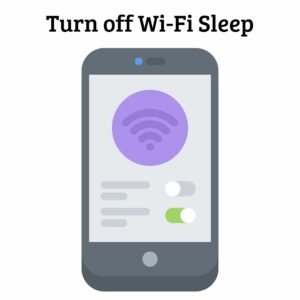
Change the Wi-Fi Sleep Settings
Numerous smartphones are available with Wi-Fi sleep settings, which automatically switch off Wi-Fi when the phone is inactive or in sleep mode, thereby saving battery life. Although this feature prolongs the life of your battery, it may also result in your phone disconnecting from Wi-Fi when it’s not in use. Go to the Wi-Fi settings on your phone and either turn off Wi-Fi sleep or set it to a longer time so that Wi-Fi stays connected for longer while you’re not using it to avoid this. Resolve phone Wi-Fi issues and fix Wi-Fi problems on smartphones by adjusting these settings.
Prevent Traffic in the Network
Wi-Fi networks can get crowded, particularly in places with high traffic or on the weekends or evenings. The router may get overloaded when numerous devices attempt to connect to the same network at once, which may cause sporadic disconnections. Try utilising Wi-Fi in calmer areas or during off-peak hours, when fewer devices are vying for bandwidth, to reduce this

Also Read: Why Does My iPhone Suddenly Restart?
Frequently Asked Questions
Why Does My Phone Keep Disconnecting From Wi-Fi?
Weak signals, network congestion, Wi-Fi sleep settings, router problems, interference from other devices, or software bugs can all cause your phone to lose connection to the Wi-Fi network.
How Do I Fix Issues With My Phone Not Connecting to Wi-Fi
Checking and improving your Wi-Fi signal strength, restarting your router, updating the software on your phone, adjusting Wi-Fi sleep settings, avoiding network congestion, and making sure there are no other devices interfering can all help you resolve Wi-Fi disconnections. If the issue persists despite attempting these solutions, we recommend contacting iPhone Repair Brisbane, where our expert team specialises in resolving phone issues effectively.
Why Does My Wi-Fi Disconnect When My Phone Is Inactive?
In accordance with Wi-Fi sleep settings, Wi-Fi disconnects when your phone is not in use to save battery life. To extend the duration of Wi-Fi connectivity during periods of inactivity, modify these parameters under the Wi-Fi settings.
How to Improve Phone Wi-Fi Stability?
Make sure your phone is in the best possible range of the router to improve the stability of your phone’s Wi-Fi. Look for and get rid of interference-causing objects, including other electronic equipment. To extend the sleep time or turn off sleep mode, modify Wi-Fi settings and update router firmware on a regular basis. By doing these things, you may lessen connectivity problems and guarantee a more dependable Wi-Fi experience.
Why Does Wi-Fi signal weaken on smartphones?
Smartphones’ Wi-Fi signals become weaker when they are farther away from the router, when furniture and walls get in the way, or when other electronics interfere. Signal strength can also be impacted by the materials and design of smartphones. A solid Wi-Fi connection can be kept up by managing adjacent devices, keeping a safe distance from the router, and reducing obstructions.
Conclusion
To enhance Wi-Fi stability and prevent connection drops, understanding common issues like weak signals, network congestion, and router problems is crucial. By adjusting Wi-Fi sleep settings, updating software regularly, and avoiding peak network traffic, you can mitigate these issues. For immediate resolution, a simple router restart can often fix transient connectivity problems caused by memory leaks or configuration errors. By implementing these solutions, you can ensure a more reliable Wi-Fi experience on your phone, minimising interruptions and maximising efficiency in your daily tasks and activities. For expert assistance with persistent Wi-Fi issues, consider contacting iPhone Repair Brisbane for specialised support.
Phone Repair Brisbane · Near Coles Kiosk, 1/180 Fairfield Rd, Fairfield QLD 4103 · Phone 07 3073 1588 · Open Mon–Sat 10am–6pm · Walk-in service, no appointment needed · Cash, EFTPOS, Apple Pay, Google Pay, Afterpay & credit card accepted