

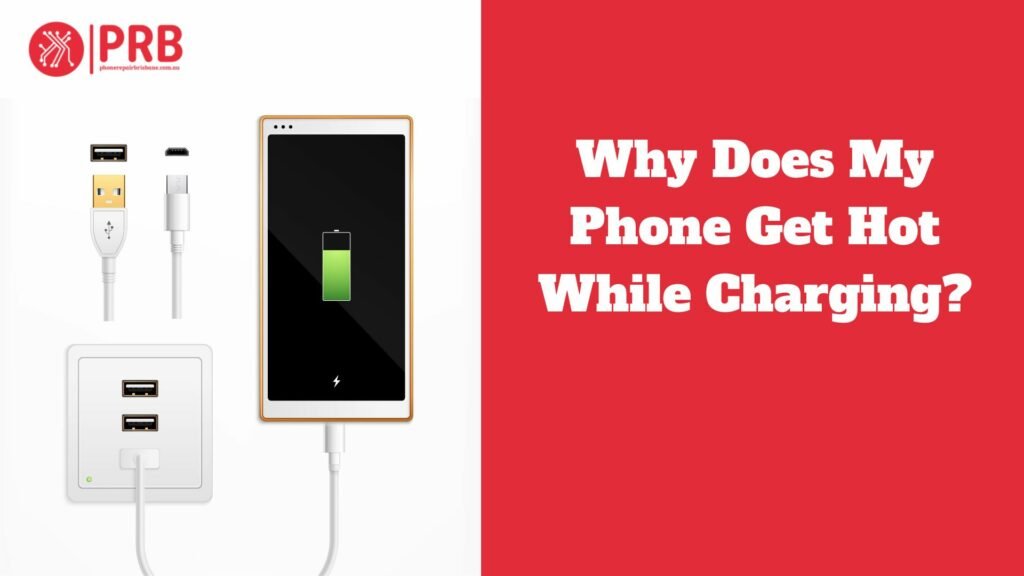
Why does my phone get hot while charging? When a phone heats up during charging, it’s often due to the battery working hard to store energy. Rapid charging or using the phone while charging can exacerbate this. Heat can degrade battery life and even pose safety risks. Several factors contribute, including charger quality, battery health, and ambient temperature. To mitigate this, use the manufacturer-recommended charger, avoid intensive tasks during charging, and keep the phone in a well-ventilated area. If the issue persists or becomes severe, consult the manufacturer or a technician to ensure the device is functioning properly and safely.
The widespread problem of phones heating up when charging is introduced at the beginning of the essay, along with its importance and possible repercussions. It then explores the several aspects of this issue, including ambient temperature, charger quality, and battery condition. Every element is covered in detail, offering insights into how it affects phone heating. The post then provides helpful advice and techniques to reduce phone heating when charging, such as utilising suggested chargers and avoiding labor-intensive chores. It ends with an admonition to seek professional help if the problem continues or gets worse.
Why Does Your Phone Get Hot While Charging?
A number of reasons, such as battery chemistry, electrical resistance, and increased processor activity, can cause phones to heat up during charging.
Understanding Heat Generation and Battery Chemistry
Examining the phenomena of cellphones overheating while charging reveals a number of underlying causes. First, the essay explores the complexities of battery chemistry, with a special emphasis on lithium-ion batteries, which are the norm for powering the majority of contemporary smartphones. It explains how the chemical makeup and reaction mechanisms of these batteries cause them to produce heat throughout the charging process even though they are effective energy stores. This knowledge lays the groundwork for understanding why phones accumulate heat when they are plugged in.
Handling Failures and Electrical Resistance
The topic continues by navigating the areas of electrical resistance and charging ecosystem inefficiencies. It explains how resistance in connectors and charging cables can obstruct the free passage of electricity, increasing the amount of heat produced as a consequence. It also emphasises the importance of power transfer inefficiencies, which occur when some electrical energy is lost as heat rather than being used for charging and raises the device’s temperature overall.
The Significance of Enhanced Processor Activity:
The article further clarifies the significance of higher CPU activity when charging. It explains how background operations that increase the stress on the device’s processor—like app updates and system maintenance tasks—can raise the temperature of the CPU. The increased activity and concurrent charging procedure both compound the problem of heat dissipation that smartphones encounter.
Throughout the discussion, the paper not only clarifies the fundamental reasons why phones heat up while charging, but it also emphasises how crucial it is to comprehend these reasons in order to develop practical mitigation techniques. Through an extensive examination of battery chemistry, electrical resistance, and processor activity, readers are provided with the necessary knowledge to maximise charging procedures, minimise heat accumulation, and guarantee the longevity and security of their gadgets.
Environmental Factors For Overheating
User behavior and environmental factors can also have an impact on phones overheating when charging.
Environment for Charging
High Ambient Temperatures: Heat accumulation during charging may be aggravated by high ambient temperatures. The phone’s cooling systems may have trouble efficiently dissipating heat in a warm environment, which could result in an elevated device temperature. When charging in direct sunlight or in warm locations, this can be very problematic.
Inadequate Ventilation: Heat-related problems can be made worse by inadequate ventilation in the charging environment. Heat can get trapped around a phone while it is charging if it is left in a closed or poorly ventilated area. This prevents the heat from the phone from dissipating. This airflow restriction may increase device temperatures and may make overheating worse.
Utilisation While Charging
Playing Games or Using Demanding Apps: When a phone is charging, it can produce a lot more heat if it is used for demanding tasks like gaming or extensive app usage. The phone’s processor and other internal parts are under increased stress from these actions, which increases heat generation and energy consumption. Consequently, the device’s temperature might rise quickly when charging and heavy use are combined.
Impact on Heat Generation :During charging, user behavior has a direct bearing on how much heat the device produces. High-processing-power tasks and extended screen-on times place more strain on the phone’s components, increasing heat production and energy consumption. Users can lessen this by using their devices less when they are charging or by choosing less taxing activities, which will lower the device’s total heat production.
Also Read: Do Games Destroy the Phone Battery?
Common Misconceptions
There are a few myths about phone charging and heat generation, despite popular perception.
Overcharging as the Primary Cause
Explanation of Modern Charging Circuitry :An explanation of the complex charging circuitry included in modern smartphones dispels the myth that these devices are overly capable of charging. When the battery reaches its maximum capacity, these circuits automatically alter the charging rate and stop the charge. They thereby control the charging process. Thus, these intelligent technologies help to prevent overcharging, which occurs when excess energy is continuously provided to the battery beyond its limit.
How Devices Handle Overcharging: To avoid overcharging, devices use strategies like charge termination and trickle charging. A small amount of current is supplied during trickle charging in order to keep the battery’s charge stable without endangering it. Furthermore, in order to avoid overcharging, charge termination systems recognise when the battery is fully charged and interrupt the charging process. Modern devices successfully protect against the negative effects of overcharging thanks to these safeguards.
Battery Conditions and Temperature
Taking Care of Battery Degradation Concerns :Although heat can negatively affect a battery’s performance, contemporary lithium-ion batteries can withstand mild temperature changes. The number of charge cycles and depth of drain are the main factors impacting battery lifespan, contrary to the myth that charging-induced heat increases battery degeneration. Concerns over charging-induced heat are not as important as proper charging procedures, which include avoiding full discharges and minimising exposure to severe temperatures, in order to maintain battery health.
Appropriate Charging Procedures for Extended Battery Life :Implementing appropriate charging procedures can greatly increase battery longevity. Over time, battery health can be maintained by employing techniques including minimising exposure to high temperatures, preventing deep discharges, and maintaining moderate charging levels. Longer battery life is also achieved by avoiding charging in adverse weather conditions and utilising reliable chargers and cords. Users can minimise worries about battery deterioration and guarantee optimal battery performance for the duration of the device’s life by giving priority to these activities.
How to Keep Your Phone Cool While Charging
Adopting specific techniques can assist keep your phone’s temperature at ideal levels, reducing the chance of overheating when charging.
Use the Chargers and Cables Suggested
Use of Original Accessories is Important: To ensure safe and effective charging, use the chargers and cables that the manufacturer recommends. Authentic accessories are made to fit the requirements of the gadget and stay compatible with its charging circuitry. By supplying the proper voltage and current, they lower the possibility of overheating and possible harm to the battery and other internal parts.
Avoid High-Demand Activities During Charging
Best Charging Practices: It’s best to refrain from high-demand activities like gaming and video streaming when charging in order to reduce heat buildup. The phone’s processor and other components are put under greater stress by these duties, which increases heat generation and energy consumption. Alternatively, choose less taxing pursuits or just let the gadget charge while not in use.
Reducing Processor-Intensive actions: During charging, processor-intensive actions like running numerous programs or updating the system may cause heat to accumulate. Close pointless apps and wait to update anything that isn’t absolutely necessary until after the charging session to help reduce this. You can assist in keeping your phone’s operating temperature lower by lessening the strain on the processor.
Find out Adequate Ventilation
Refrain from Covering the Phone While Charging: Proper ventilation is necessary to release the heat produced while charging. Refrain from putting anything on top of the phone, such as cushions or blankets, as this might trap heat and obstruct airflow. Rather, set the phone down on a level, sturdy surface that lets air flow around it.
Use of Cooling Accessories: Take into consideration the use of cooling accessories, such as phone cooling pads or supports, in situations when the atmosphere or extended use call for more cooling. Usually, fans or materials that dissipate heat are included in these accessories to assist in controlling the device’s temperature while it is charging. To further help with heat dissipation, place the phone in a cool, shaded area.
Observation and Problem-Solving
While your smartphone is charging, keeping an eye on its temperature will help you spot possible problems and guarantee peak performance. Here’s how to keep an eye on and resolve temperature-related issues
Monitoring and Troubleshooting
While your smartphone is charging, keeping an eye on its temperature will help you spot possible problems and guarantee peak performance. Here’s how to keep an eye on and resolve temperature-related issues:
Tracking the Temperature of a Device
Features for Real-Time Temperature Monitoring: A lot of smartphones have built-in temperature monitoring capabilities that let users check the device’s temperature in real time. Usually, the device’s settings menu or battery management tools allow you to access these options. Users may make sure the gadget stays within safe operating limits by checking the temperature of the device on a regular basis while it is charging.
Third-Party Apps for Temperature Tracking: Users have access to third-party apps made expressly for temperature tracking, in addition to the built-in monitoring capabilities. In addition to providing more accurate temperature readings, these apps might have extra features like graphs showing temperature history and warnings that can be customised. Well-known temperature monitoring apps can supplement built-in monitoring functions and are easily downloaded from app stores.
Determining the Root Causes
Signals of Possible Hardware Issues: When a device is charging, high temperatures could be a sign of underlying hardware problems, like a broken battery or charging circuitry. Unusual high temperatures, fast battery drain, or irregular charging behavior are indicators of hardware issues. It’s critical to take proper action and investigate the likelihood of hardware malfunction if these problems continue after troubleshooting.
When to Get Professional Help: It could be essential to get professional help if temperature-related problems continue or get worse over time. Authorised repair facilities or specialists are capable of performing diagnostics to find the source of the issue and provide workarounds. Getting expert help guarantees that the issue is fixed, whether it’s changing a defective battery, fixing the charging circuitry, or taking care of other hardware problems.
Frequently Asked Questions
Is it Normal for My Phone to Get Hot While Charging?
Phones typically produce some heat during the charging process because of the chemistry of the battery and the energy transfer mechanism. On the other hand, overheating could be a sign of deeper problems, such as ineffective charging apparatus or elevated surrounding temperatures. Make sure you’re using the recommended chargers and cables, keep an eye on the device’s temperature, and refrain from intense activity while it’s charging to reduce dangers. To make sure the item is operating safely, check with the manufacturer or a professional if the heat is extreme or continuous. For expert phone heat repairs, trust iPhone Repair Brisbane. Our skilled technicians are ready to professionally resolve your device’s overheating issues.
Should I Stop Charging My Phone if it’s Hot?
It’s best to momentarily stop charging your phone if it starts to get too hot while it’s charging so that it can cool down. Overheating can shorten battery life and be dangerous. After removing the charger and putting the phone somewhere cooler, wait for the temperature to drop before using it again. To protect the device’s functionality and safety, try an alternative charger or get help from a specialist if the heat happens often or persistently.
Phone Repair Brisbane · Near Coles Kiosk, 1/180 Fairfield Rd, Fairfield QLD 4103 · Phone 07 3073 1588 · Open Mon–Sat 10am–6pm · Walk-in service, no appointment needed · Cash, EFTPOS, Apple Pay, Google Pay, Afterpay & credit card accepted