

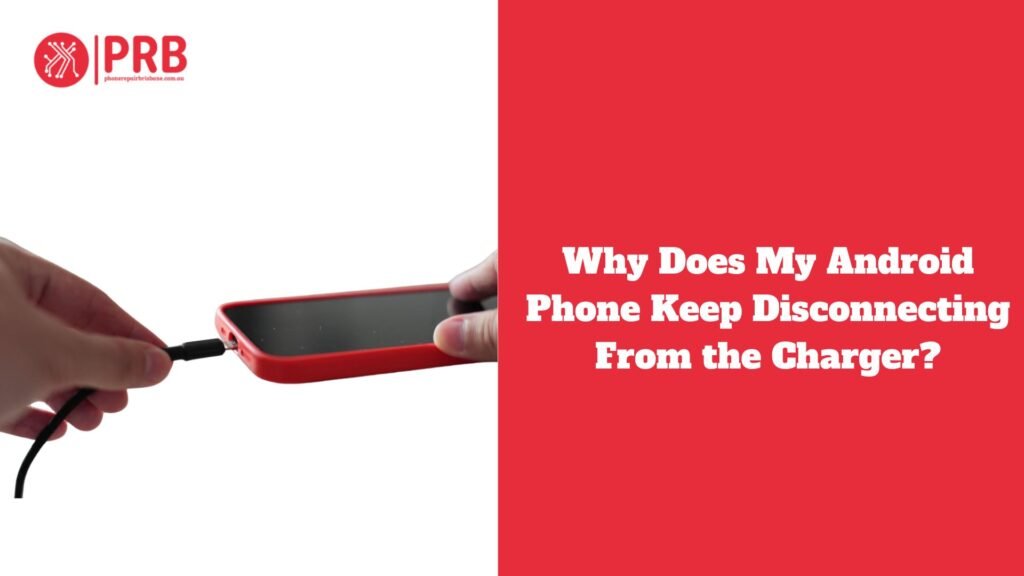
Why Does My Android Phone Keep Disconnecting From the Charger? When you’re attempting to charge your Android phone quickly, it can be annoying if it keeps detaching from the charger. A damaged charging cable, dirt or debris in the charging port, or problems with the power supply are some of the possible causes of this frequent problem. The charging procedure may occasionally be hampered by software bugs or by the charger itself not being compatible with your device. Inconsistent charging behavior might also be a result of an old or broken battery. Whether the issue calls for a straightforward solution or expert repair, knowing the underlying reason for the disconnect will help you handle it more skillfully. We’ll look at the typical causes of this problem in this post and offer solutions.
Maintaining the health of your phone’s battery and general functionality requires proper charging. Frequent charging guarantees that your gadget remains operational all day long, avoiding unplanned shutdowns that could interfere with your work. Long-term battery health is best achieved by maintaining the battery level between 20% and 80%. Regularly draining your phone’s battery to zero or overcharging it will shorten its life. Furthermore, utilising the appropriate charger and cord guarantees a steady power source and guards against harm to the internal parts or charging port of your phone. By being aware of common charging problems, including disconnections or slow charging, and taking quick action to fix them, you may prolong the life of your device and keep it operating at its best for longer.
Common Causes of Android Phone Disconnecting from Charger
Bad Charging Cable
Cause:Poor connection and sporadic charging might result from charging wires that deteriorate, fray, or break over time.
Solution: Check for obvious damage, like fractures or exposed wires, on your charging cord. To guarantee dependable charging, swap out the damaged cable with a new one.
Unclean or Broken Charging Port
Cause: Poor contact between the charging cable and the phone might result from dust, lint, or other debris building up in the charging port. Charging may also be hampered by physical port damage.
Solution: Use a soft brush or compressed air to gently clean the charging port to get rid of any debris. Take your phone to a specialist for repairs if the port looks damaged.
Problems with Charger Compatibility
Cause: Your phone may disconnect from the charger if you use non-certified chargers or if the voltage or current is off. It’s possible that generic chargers won’t provide your device with the proper power.
Solution: Always use an authorised third-party charger or the original charger that comes with your phone. Certified chargers guarantee that your phone receives the proper power, avoiding possible damage or disconnections.
Issues with the Power Source
Cause: Occasionally, the power source may be the problem rather than the phone itself. Your phone may not charge correctly due to malfunctioning outlets, USB ports, or a low power supply.
Solution: To rule out an outlet issue, try various power sources. For a more reliable power source, use a wall outlet instead of a USB port for charging.
Problems with Software
Cause: Your phone disconnecting from the charger might occasionally be caused by software faults or background programs interfering with the charging process.
Solution: Make sure the software on your phone is current. To fix any difficulties affecting the charging process, try rebooting your phone or changing its settings if you’re having ongoing problems.
Problems with the Battery
Cause: Phone batteries deteriorate with time and may not be able to sustain a charge. During charging, your phone may abruptly disconnect due to a broken or aging battery.
Answer: To obtain comprehensive details about the condition of your battery, check it in the phone’s settings or by using a third-party app. For more consistent charging performance, think about replacing the battery if it is significantly degraded.
How to Troubleshoot Android Charging Disconnect Issues
- Check the Charging Cable: Examine the charging cable for any obvious wear or damage. If necessary, swap it out for an approved cable.
- Clean the Charging Port: Cleaning the charging port is important because dust or debris might block the connection. To clean the port, use a soft brush or compressed air.
- Try Using a Different Charging Device: To guarantee correct voltage, use the original charger or a certified substitute.
- Try a Different Power Supply: To get rid of power supply problems, switch outlets or USB ports.
- Verify for Software Problems: To fix issues with charging, update the software on your phone and restart it.
- Take a Look at the Battery: The battery may need to be replaced if it is broken or old.
Safe Charging Procedures
- When your phone is charging, don’t use it.
- Use certified cords and chargers at all times.
- Clean the charging port on a regular basis.
Preventive Measures to Avoid Future Disconnects
Maintain a Clean Charging Port
Dust, lint, and other debris can build up in your phone’s charging port over time, which can lead to sporadic connections or even stop charging. To get rid of any clogs, periodically check and clean the port with a toothpick, soft brush, or compressed air. By doing this, disconnections during charging are avoided and a steady connection between the phone and the charging cable is guaranteed.
Avoid Overcharging or Undercharging
Leaving your phone plugged in overnight or repeatedly overcharging it will strain the battery and shorten its lifespan. However, it can also be harmful to allow the battery to go entirely flat before charging it again. Try to keep your phone’s charge level between 20% and 80% to preserve the healthiest possible battery. It will remain healthy and function better over time if you charge it when it reaches about 20%.
Invest in High-Quality Charging Accessories
Using inexpensive, generic charging cords and adapters may cause your smartphone to damage or charge erratically. Invest in approved, high-quality cables and chargers to guarantee a steady power supply and reduce the possibility of electrical problems. To ensure compatibility and safety, always buy accessories from reputable manufacturers or straight from the phone’s maker.
Update the Software on Your Phone
Updates are necessary to repair bugs or malfunctions that could affect charging as well as to add new features. Outdated drivers or software conflicts might occasionally be the cause of charging problems. Be sure to frequently check for and install any updates that the manufacturer of your phone may have supplied. Updating the software on your device can fix small problems like charging interruptions and guarantee improved overall performance.
Use Stable Power Source
Always connect your phone straight to a dependable power source to charge it. Inadequate or erratic power delivery from USB ports on older PCs or unpowered hubs might cause disconnects or slower charging. Select a reliable power bank or adapter with consistent output if you must charge via USB. To guarantee your smartphone gets a steady and dependable charge, always choose wall outlets or authorised charging docks when they are available.
When to Seek Professional Help
If the Problem Cannot Be Resolved by Basic Troubleshooting
Your phone disconnecting from the charger could be a sign of a more serious issue if you’ve tried all the standard troubleshooting techniques, such cleaning the charging port, inspecting the cable, or switching outlets. When easy solutions fail, it’s necessary to seek professional advice to determine the underlying cause of the problem.
Persistent Battery or Charging Port Difficulties
If your phone still has trouble charging even after cleaning the port and swapping out connectors, there may be internal battery difficulties or physical damage to the port. To stop additional harm to the gadget, a damaged charging port or a failing battery frequently need to be repaired by a specialist.
When Hardware or Software Problems Continue
Professional diagnostic services are crucial if you believe the problem is caused by malfunctioning hardware (such a damaged power IC or charging circuit) or software issues that prohibit correct charging. Expert technicians are able to accurately identify the issue and suggest the appropriate solution, which may include a software reset, port replacement, or battery change.
Also Read: Why Is My Phone Charger Buzzing?
Frequently Asked Questions
Why Does My Android Phone Keep Disconnecting From the Charger?
Your Android phone may continually unplug from the charger for a number of reasons. You may be using an unsuitable charger or power source, the charging port may be filthy or damaged, or the charging cable may be defective. In certain instances, problems with the software or battery may also be to blame. Make sure you’re using the right charger, clean the charging port, and look for any obvious damage on the cord to fix the issue. Think about changing the phone’s firmware or getting a new battery if the problem continues. Developing good charging practices can help avert issues in the future. For professional support, get in touch with iPhone Repair Brisbane, where our knowledgeable specialists can aid with any technical problems.
Why Does My Phone Stop Charging When I Use It?
There are a number of reasons why your phone can stop charging while you’re using it. High power consumption from the phone’s processes or apps, which can surpass the charging pace, is one frequent reason. During use, the connection could become erratic if the port or charging cord is broken. Additionally, if you use the phone while it is charging, it may overheat and halt charging to avoid harm. Also, using non-certified adapters or chargers may not provide enough power to charge the phone while it is in use. Reduce the amount of time you spend on your phone while charging and choose a dependable charger to prevent this.
How Can I Prevent Charging Issues in the Future?
Use these pointers to avoid future charge problems: First and foremost, always use approved, high-quality cords and chargers made specifically for your phone. Regularly use a soft brush or compressed air to remove dust and debris from the charging port to keep it clean. Don’t overcharge or let the battery run out entirely; charge your phone when it’s around 20% charged and disconnect it when it’s 80% charged. To address any issues that might be affecting charging, update the software on your phone. Lastly, to minimise overheating and slowing down the charging process, try not to use your phone while it is charging.